A visual style that is familiar to the eye links different scenes under the same creative identity. It assists your audience in identifying your work throughout episodes, platforms, and formats. Story Studio offers a platform for editing and defining that identity on several production pieces. You can direct roles, scenes, images, videos, text, and audio. The prompts and Style library selections serve as the basis for personalized visual treatment. That is then built upon with detailed instructions for individual scenes and characters. This method is helpful for short dramas, product videos, social videos, and AI films. It also facilitates the organization and review of creative decisions. The goal involves more than attractive images or impressive video effects. A good custom style relates visual decisions to story purpose. This article is going to show you how to create, develop, and grow that style.
What Makes a Video Style Feel Custom
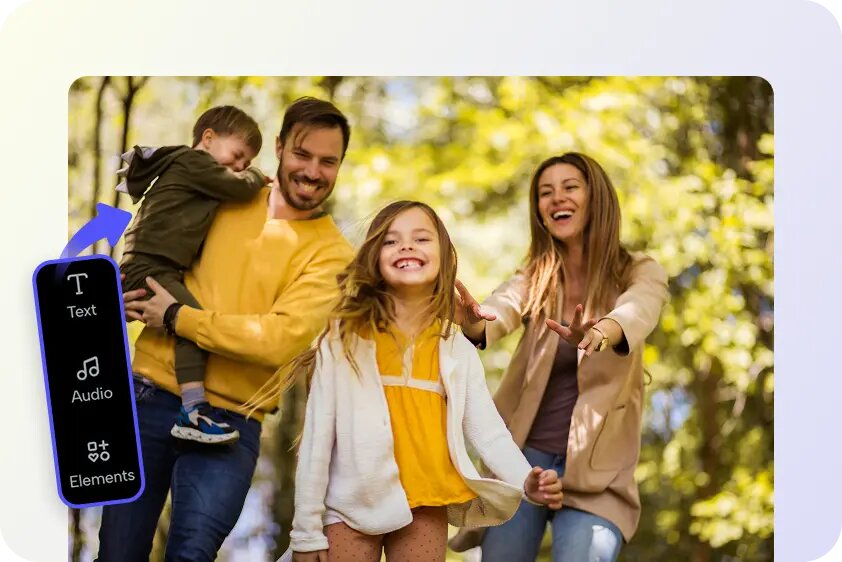
A custom video style is a fusion of composition, color direction, lighting, camera language, atmosphere, and character presentation. The arrangement and composition determine what is in each shot. Direction of color creates relationships between main colors, accents, and visual contrasts. Lighting creates a sense of depth, emotion, texture, and apparent time of day. Camera language consists of angles, camera movement, framing, distance, and visual perspective. Atmosphere conveys the emotional atmosphere of each action. Character presentation involves clothing, facial detail, posture, expression, and visual characteristics. The styles that are pre-selected provide a general creative starting point. Customized prompt instructions can be more specific and personal. For example, a cinematic style might still require soft shadows and muted colors. If the same qualities are repeated, it will help to distinguish scenes as connected, even when the scenes are in different places. But the style should reflect the genre and tone of the story. Brighter colors and dynamic framing can work well for a comedy. A thriller may need a more subdued palette, dramatic lighting, and limited movement. Consistency is the key to a custom treatment that is easily identifiable. If it’s not consistent, individual scenes can be pretty, but not in sync.
Establish a Style Foundation Before Building Scenes
The Style library can be a good starting point for your project. Choose a style that is appropriate to the intended mood, genre, and presentation. Think about whether it will be a dramatic, commercial, documentary, or social story. Cinematic depth and carefully controlled atmosphere may be required in an AI movie concept. In the meantime, the product story might require composition and visibility of the product. The aspect ratio also affects the overall composition. Vertical formats tend to be more mobile-friendly and may demand more compact framing of the subject matter.
Horizontal formats offer more room to frame landscape shots, group scenes, and film shots. Identify repeat features prior to creating many scenes. These features can be a color scheme, lighting, camera movement and camera distance, and the atmosphere. It is also possible to create regular character data and environmental textures. A style framework is simple and helps prevent the accumulation of unrelated visual choices. It further facilitates focused and efficient prompt refinement later on. Have a definite direction to begin with, and let the scene requirements bring in variations. Best results come from a combination of some common visual identity and a significant difference in the scenes.
Steps to Build Custom Video Styles Through Story Studio Platform
Step 1: Choose your creative foundation
- Sign up for Pippit using your Google, TikTok, or Facebook account info.
- Find the “Story Studio” tab on the left vertical menu bar of the home page and click it to access Story Studio.
- Upload a script with the “Upload script” tab. Alternatively, write or paste your script using the “Paste script” tab.
- Use the “AI scriptwriter” from the top menu to generate a script for your chosen video topic.
- Open the “Style library” option at the bottom left of the dialogue box and select a style that fits your story.
- Click “Default ratio” to set a custom aspect ratio. You can also select the number of episodes from the “Episodes” tab.
- Click the “Generate” tab to let AI generate your script.
Step 2: Customize your video style
- Open the “Canvas” tab to add images, scene videos, audio, and characters with roles. This gives you complete control over the story video
- Write prompts that define your custom style. Include character look, setting, lighting, camera angle, style, voice tone, story mood, or product context.
- Assign the roles and generate your characters and scenes. Then click the “Batch generate” tab to generate the episodes on the go.
Step 3: Polish and export your style
- Review the episodes and refine the characters, roles, scenes, audio, and other elements until the style feels consistent.
- If you are satisfied with the episodes, click “Select all” and then “Download” to save the generated episodes to your device.
Customize Character Style Across Multiple Scenes
Recurring characters have a visual foundation with role prompts. Body shape, clothing, facial features, facial expression, body position, illumination, and camera perspective. Add unique elements that can be identified in various scenes. Stable character descriptors can contribute to better continuity of the assets generated. For instance, define the hairdo, colour of the clothes, accessories, and age. Only change these details if there is a specific change in the story. Character styling can develop without altering the already established identity. The new costume may represent a new setting, new season, or a new story event. But the character’s familiar attributes should stay the same, however. Lighting and camera selection should also tie in with character presentation and the overall style of the story. Controlled shadows and restrained expressions may be necessary for a character in a drama. Brighter lighting and more open compositions can be used for a cheerful character. Maintaining a sense of self is a key objective, but adjusting the way one presents oneself to one’s surroundings. Look at character references before creating multiple scenes/episodes. This makes it easier to avoid continuity issues that can be caused by slight visual discrepancies.
Create a Consistent Scene Language
Every scene location has a familiar visual relationship thanks to a consistent scene language. Frequently used camera angles and compositions can become a part of your custom style. Medium shots, for instance, could be used to highlight dialogue and character interaction. The same visual treatment can be used with wider compositions to set the scene. This is because consistent lighting approaches also link various environments. Recurring visual patterns can be formed through soft light, controlled shadows, or warm indoor light. Environmental details come from textures, architecture, weather, props, and background activity. These details should support the setting and mood of the story created by the story studio.
Narrow framing, low lighting, and little movement in the background could be used for a suspenseful scene. Brighter light and clear backgrounds might be needed for a product demonstration. Recurring visual elements can link contrasting scenes together. Major differences can be overcome by the same color accents, camera distance, or the atmospheric treatment. This can be useful for an ad maker workflow for campaigns requiring multiple unique scenes. Different messages can be conveyed in each scene, but with the same brand presentation. The outcome does not appear as if it is a collection of random visual decisions.
Combine Style Prompts With Story-Specific Details
Style prompts can be used to direct the visual treatment but not to the detriment of the information in the scene. Begin with the most essential story elements: character, action, setting, and purpose. After that, add lighting, camera, atmosphere, and general style instructions. This order is important to keep the meaning of the scene intact through the generation process. If the character does something, first write about the character’s action, and then add lighting for the scene. Explain the product’s position before requesting a particular camera angle. Global visual direction should be consistent throughout the project. Details about each scene should describe how each moment is different. Do not give conflicting directions like asking for dark shadows and no shadows. When multiple camera directions are used, it can also dilute the composition and make the outcome less predictable. If assets are generated that drift, determine the missing or unclear instruction. Polish the prompt rather than pad it with a lot of unrelated style terms. Generally, a focused revision yields more useful changes than a complete rewrite. Also, you can compare the successful prompts with weaker ones. This will show you what information is always in line with the desired visual treatment. Creative control is more reliable when clear prompts are provided across roles, scenes, and episodes.
Review, Refine, and Scale the Custom Style
When you see more than one scene, you can see the inconsistencies in style that any one scene might be able to cover up. Make comparisons between characters, places, lighting, camera framing, colors, and atmosphere. Watch for modifications that diminish the project’s visual identity. Make changes to prompts not to rebuild a story unnecessarily. Minor fixes may be made to create continuity of characters, composition of scenes, or consistency of lighting. Organizing Canvas helps to review and improve related assets easily. Maintain project organization to keep roles, scenes, and media connected. This is to determine which prompt yielded a successful visual product. Use effective prompt patterns successfully with more scenes and episodes. Effective descriptions are reusable, which can help to avoid repeating unnecessary experimentation and to ensure consistency. Batch generate allows you to scale a coordinated visual direction to larger projects. Develop related episodes using proven roles, scenes, and style instructions. Then check the results before taking the project further. This way, you can get a balance of production speed and creative quality. It also helps to minimize the chance of making different visual decisions in a series. The more a custom style is tested, observed, and refined, the more it becomes powerful.
Conclusion
Custom video style is not a single setting, but rather a combination of visual instructions that are coordinated. Style library selections give direction, and detailed prompts give real control. Consistency ties together characters, scene, lighting, camera language, and atmosphere. Story Studio is a structured environment that allows you to develop and refine that unique style. Creative work can become more coherent through revisiting and enhancing prompts. The process allows experimentation without losing the identity of the story.